

Introduction
Single Directory Components (SDC) was recently introduced as an experimental module in Drupal Core. Scheduled for release in June 2023 in version 10.1.0, SDC is all set to bring a new level of organization and modularity to Drupal.
What Is The Function Of SDC In Drupal?
SDC empowers themes and modules to create components within their respective directories in the project. A component is a collection of files essential for rendering, including - Twig, YAML, and optionally CSS and JavaScript.
When a template calls for the component, SDC automatically generates a library to load the necessary CSS and JavaScript. SDC provides a comprehensive API for creating and extending components, building a solid foundation for incorporating additional functionalities.
Although SDC is an independent module, the long-term plan is to integrate its functionality into Drupal Core's base theme system once it achieves stability. Let’s look at some of the prominent changes that are brought forth by SDC:
Before SDC |
After SDC |
| Previously, Drupal relied on various directories scattered throughout theme or module directories to store frontend assets such as JavaScript, CSS, and templates. |
Developers can create a centralized directory for each component, housing all the relevant frontend assets, including Twig, YAML, CSS, JavaScript, and more. |
| This approach often resulted in a disorganized and challenging-to-maintain codebase. |
This approach greatly simplifies asset management, making it easier to locate, update, and maintain component-related files. |
| Without having any sort of familiarity with the Drupal ecosystem:
|
SDC implements the single directory component approach. As a result:
|
Benefits Of Using Single Directory Components
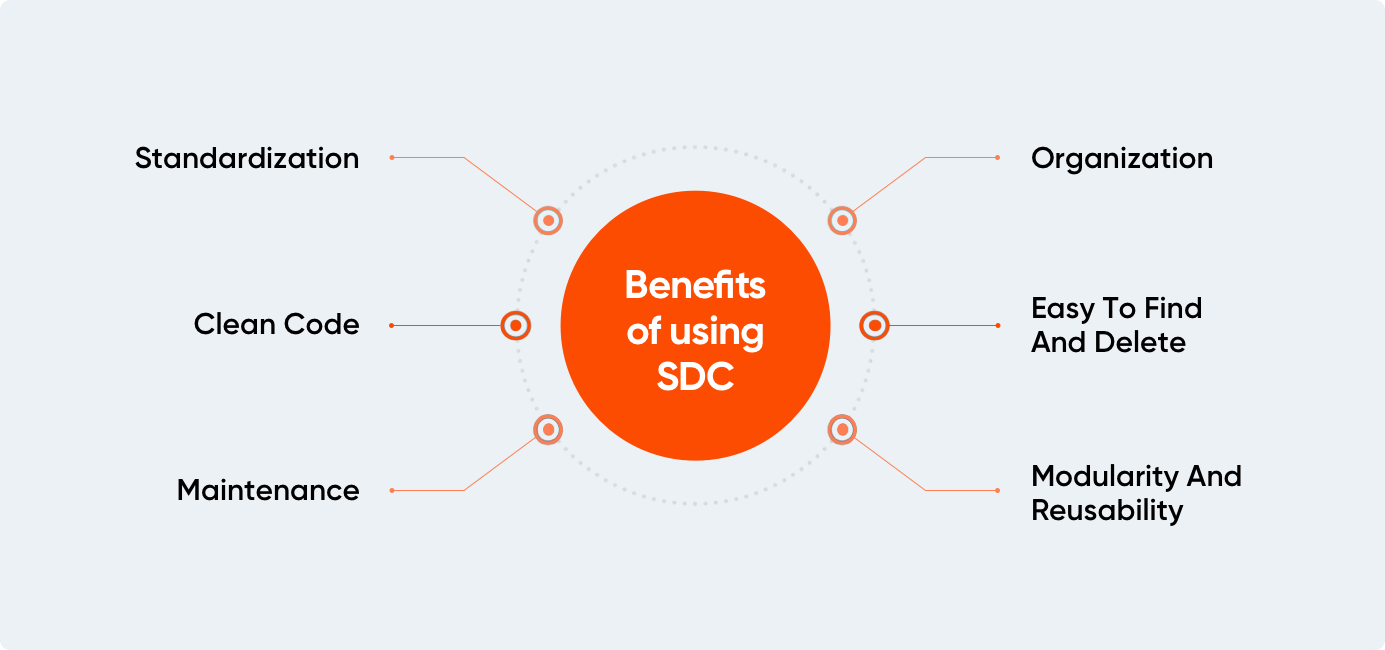
Organization
SDCs promote improved organization by consolidating all the files for a component in a single directory, fostering a structured approach to code organization. This clarity makes it easier to manage and maintain components.
Furthermore, by loading CSS and JS files based on components, the overall weight of page assets is reduced, leading to improved page performance. This approach ensures that unused CSS and JS are not unnecessarily loaded on the page.
Easy To Find And Delete
When it comes to CSS refactoring, there is a sense of fear about accidentally deleting CSS that might still be in use elsewhere. However, with component-based styling, the styles are specifically applied to each individual component. This makes it easier to refactor and delete CSS confidently, knowing that it only affects that particular component.
Modularity And Reusability
SDC also enables modularity and reusability by encapsulating all component code and assets within a single directory. This means that components can be easily reused across different projects or within the same project, saving valuable development time and effort.
Users can reuse a component by using the following code:
| { % include (my_theme : my-component) % } |
By including the component ID, users can generate HTML, CSS, and JS specific to that component. When they need to include or extend the component, a library is automatically generated. Ergo, users don't have to manually attach the library.
Maintenance
Maintenance becomes a breeze with SDC, as all the components’ files are conveniently located in one place. This simplifies the process of updating or modifying components without the need to navigate through multiple directories or files.
Additionally, SDC automatically generates a library for loading the necessary CSS and JavaScript files when the associated template is invoked. This automated process ensures that the required assets are seamlessly included, reducing manual configuration and streamlining frontend development.
Clean Code
SDC also improves code readability by clearly indicating the dependencies and relationships between different component files. This helps developers understand and manage dependencies more effectively.
Standardization
SDC promotes consistency and standardization in component development by providing a predefined structure. This encourages cleaner, more maintainable code across the entire project or organization.
By embracing SDCs, Drupal developers can enjoy a more organized, modular, and efficient frontend development workflow. With improved asset management, simplified maintenance, and enhanced collaboration, SDC empowers developers to create outstanding web experiences with ease and confidence.
How To Create A Component In SDC
Creating a component in SDC comprises of the following steps:
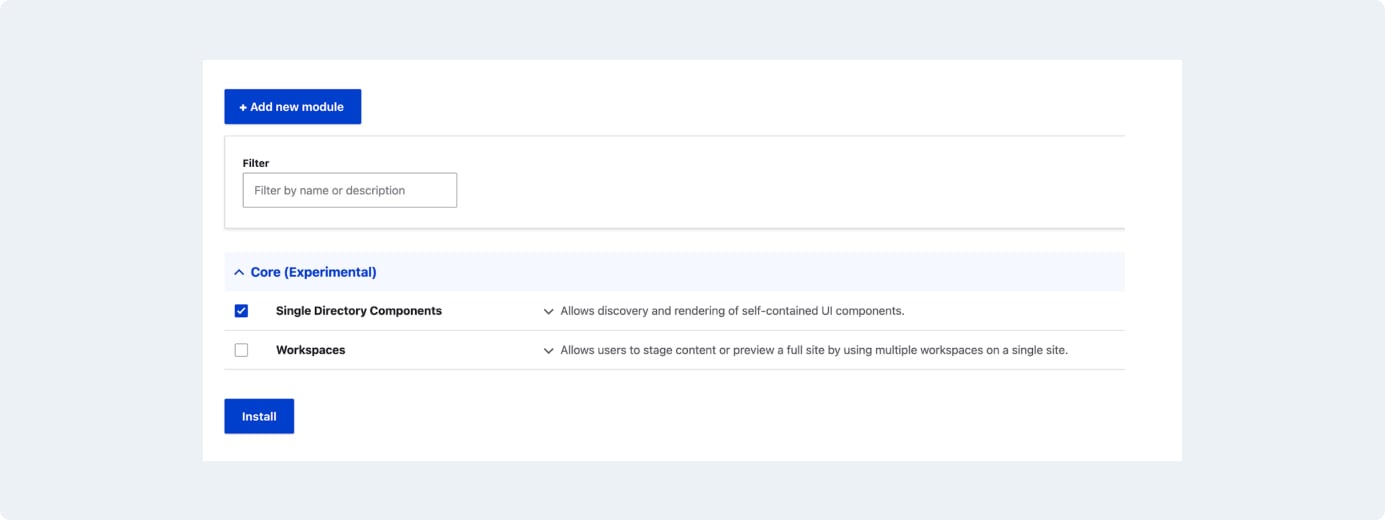
Step 1: Enable The SDC Module
To install the SDC module, the first step is to navigate to the extended page and proceed with the installation. This module will function the same way as the other modules and won’t require any additional configuration.
Once SDC reaches a stable state, it will no longer exist as a separate module. Instead, it will be enabled by default. Additionally, there’s an option to install Drupal core dev (drupal/core-dev). While this step is not mandatory, it does provide highly informative error messages from the SDC module.
Step 2: Create SDC Component
The next step is to create the directory called components. This is where all the components are going to live. For every component create a new directory, each of which will contain components.yml, twig file. Get more details about creating a component here.
Step 3: Render This Component
To render these components, leverage the power of Twig's include and embed functionalities, along with template inheritance. These techniques provide flexibility in passing variables and updating values.
When using the include statement, include a specific component template within another template. This allows passing the variables to the included component. Additionally, this helps customize the components’ behavior and appearance based on the context.
Embedding also allows the creation of reusable component templates that can be extended or overridden by other templates. By extending a base template, users can inherit its variables and logic, while still having the flexibility to update or add new variables specific to the extended template.
In both the instances, passing variables to the component templates can be done by simply providing the necessary values when including or extending the templates. This helps dynamically update the components’ behavior or appearance based on the values passed from the parent template or within the components itself.
|
|
Steps To Create A Component Using The SDC Approach
Here’s a quick demonstration for users who want to understand the steps to create a component using the SDC approach:
- Step 1: Create a directory called components inside the Olivero theme.This can also be done with any other core or custom theme. For instance, Olivero can be used due to its wide-ranging familiarity.
- Step 2: Inside the components directory, create a subdirectory named page-title. This directory will replace the existing page title with the new page-title component.
- Step 3: Create a file named page-title.component.yml within the page-title directory. This file will define the schema and types for the component.
- Step 4: Create a file named page-title.twig and copy the markup from the original page-title.html.twig file. Paste the copied markup into this new Twig file.
- Step 5: To utilize the component, employ the embed function in the page-title.html.twig file. This enables users to call and customize the component by replacing variable values.
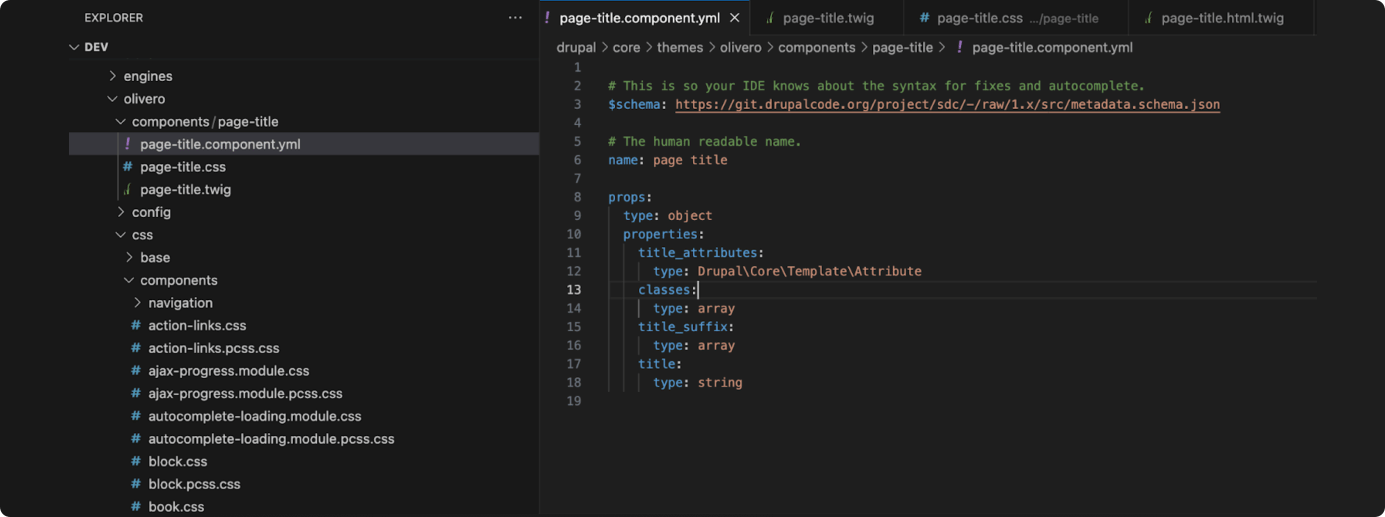
- Step 6: Place the CSS and JS files inside the components directory. This eliminates the need to manually create or attach a library. The assets will now be automatically loaded, simplifying the process and ensuring proper inclusion of CSS and JS files for the components.
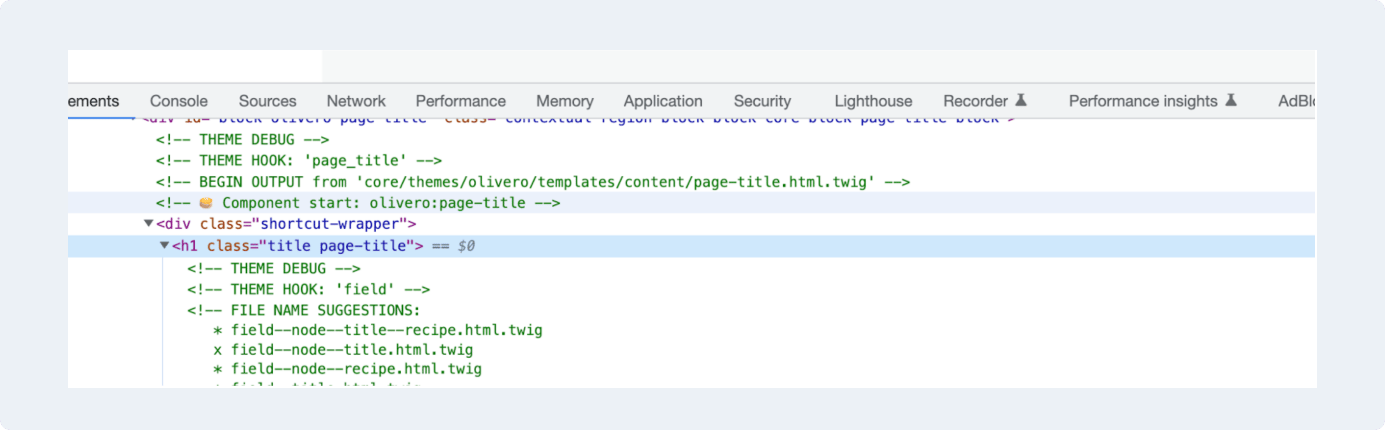
- Step 7: Now users will be able to view that the title is coming from the Olivero:page-title component.
Advanced Features To Try
SDCs provide the flexibility to override libraries when necessary.
There might be instances where they’ll need to pass an attribute for a JS file or include additional JS files. In such cases, the users can override the libraries to accommodate these requirements. In addition, they can specify dependencies for the JS files.
For example, if the JS code relies on Drupal, users can declare this dependency in the component.yml file. This facilitates the necessary additions to the libraries.yml file directly within the component.yml file. Learn more about metadata (component.yml) here.
|
|
About the Author

Leave us a comment